Help your phone to ‘call home’

“I’ve lost my phone!”
It seems to happen so often that someone has lost their phone and asks for help – but with a bit of forethought it is quite easy to find your phone again, and this works for both Android (Samsung, Nokia etc) and iPhone.

In your phone, go to settings and search for ‘find my’ – there will be instructions how to turn this function on for the phone; just follow these instructions and make sure you press ‘save’ at the end. Done!


Now when you lose your phone, just go to the nearest computer, tablet or another phone and go to a web browser (Chrome, Firefox, Edge, Safari, etc), search for “find my phone”, select Google or Apple(iCloud) from the results, sign in with your Google or Apple ID, and you will see a map with the location of the phone. It usually only gives you a general area of a few square metres, but at least you know where to look 🙂.

Depending on the device, you can even get the phone to make (a very loud) sound from the website or wipe the content of the phone (if it has been irretrievably lost) or other actions.


All this comes with a caveat: your phone must be online (if you dropped it in an area of little or no reception this might not work) and location services should be on. Apple devices (iPhones) are a bit more forgiving, but still have to be turned on to be found.


Your best chance is to check your phone right now and turn on ‘find my device’ – you never know when you will need it.


How to find your stuff


Have you ever tried to find a particular photo or document on your computer and it just wasn’t there? It is all about organisation and you have to become your own private librarian. Even if you only have a dozen books, if they were all in loose pages instead of bound, you would have difficulties finding what you are looking for.

The same thing applies to your computer: instead of books you have folders, and every folder has a number of documents or files in it. You generally have predefined folders like Documents, Photos, Downloads etc, but you can expand that by creating sub-folders, e.g. within Documents you could have Letters, Recipes, Newsletters,…. You can then narrow down the area where to look for a particular file.

The more files you have, the more important is organisation. How many photos have you stored on your computer? If they are all in one folder (Photos) and are just named by the generated number or date, it will be very difficult to find a particular shot of Uncle Fred. But if you created folders (e.g. Tina’s Wedding, Holiday in Bali…) then it will be much easier; and if you then renamed the photos as you store them to something that makes sense, like Uncle Fred, Cucumbers,…. It is really easy to find what you are looking for.

Doing this as you store new photos is not that hard, but if you already have a collection of 1000s, you
might have to spend a few winter evenings going through it all – it might be worth it.

As long as you have file names that mean something, you can then use the Search function to look for items, and at least narrow down the number of files you will have to check.

To some extend the photos app on your device might be able to help you by automatically sorting photos by certain criteria – but it can be a bit hit and miss.

Passwords!

Passwords! Can’t live with them and can’t live without them 😉
They can be the bane of our online lives, but there are some tricks to make things a bit easier.


I hope you all know to use different passwords for different sites, and not to make them too obvious (‘1234’ comes to mind). But remembering all these passwords is a challenge even for the most organised person; the best way is a password manager, which is a program that collects all your passwords and presents them to you when needed, all you need to remember is ONE master password.

Some browsers (Chrome, Edge…) have this built in (when it asks you to remember the password), but you can also get free programs that work across any browser and device and that automatically create safe passwords for you.

Second best option would be a ‘little black book’ of any colour, where you note all your passwords, make sure to add the user id and the website. Needless to say, guard this book with your life and don’t leave it lying around.

Ideas for safe passwords include using the starting letters of a song or poem, e.g. ‘Hdsoaw’ – Humpty Dumpty Sat On A Wall, easy to remember but hard to guess.
Or use 3,4 or 5 unrelated words, like leftelephantrugbyhouse – who would guess that or find it in a dictionary?

There are other ways to identify yourself, for example your fingerprint reader on your phone or tablet, or your face or a special dongle you have to plug into your computer, but these are only available on a limited number of devices and sites.
Industry is working on making things easier for us, but until then we just have to learn to
work with what they give us.

How to go where you want to go

Remember the stand-alone navigation units we used to have in our cars? Now it’s all in
your phone, and it doesn’t matter if you’ve got a $1500 top of the range phone or the $50
special: they all have navigation built in.

And there is no need to laboriously type in the town, the street name and the number: you can just say the address and not only will it show you where the address is and how to get there, it can also tell you of any traffic jams, how long it should take you taking those into account and with street-view you can even see what your destination looks like!


Look for an app called ‘Maps’ both on Android and iPhone, and make sure you have your
location services turned ON.
You might have to give the app some permissions, the first time you use it. A symbol should
show you where you are on the map.


There are some settings to specify if you are driving, walking or using public transport; if
you are driving you can set it to avoid toll roads, or ferries. You can get spoken directions or
just the movement on the map, you can ask for the nearest service station, cafe, ATM and
more. It is really like having your own local guide with you. And when you leave you car,
you can mark the spot where you parked so you find your car again.


There is almost no way of ever getting lost. Go try it out and play with it!

Keeping your device up-to-date

Updates – sometimes it seems as if your devices want to update all the time. What are
these updates and should you update?


The simple answer is: yes you should update as soon as practicable. There are essentially
two types of updates (both on phones and on computers): system updates and software
updates. Both fix security and other problems, and also sometimes add extra functionality.

System updates update your operating system (Windows, Android) which is what makes
your device work, software updates update your apps (like Facebook, Chrome etc). In the
case of Apple devices (Mac, iPhone) both these types are generally combined in one
package.

An operating system and apps are always a work-in-progress; although they are tested
before they are released, there are so many variables in devices and use that some glitches
only appear once lots of people use them, so there will be ‘fixes’ for that. Also there are
those generally called ‘hackers’ that try their best to find ways into the app or system,
sometimes just to make sure they are ‘unhackable’ but of course also for nefarious
purposes. Whenever a security hole is discovered, an update is sent out to plug it.


So even if you are happy with the way your device and your apps work, because of these
security fixes it is important that you do install these updates whenever they are offered.
Usually you can use your device while they are downloaded (in case of phones make sure
you have enough data or link to WiFi), but the device will need to restart after or during the
install.

Too many notifications!

I see a lot of phones with dozens of unread notifications. With every app sending you
notifications, it is easy to miss the important ones, so what can you do about it? Easy, it just
takes a few minutes to clear most of them permanently.

Have a look at your notifications (pull down from the top of the screen).
On an Android phone (Samsung, Nokia etc):
You can usually swipe a notification left or right to remove it, but it will not stop the app from
sending you more. To stop them permanently, go into your settings and find apps and notifications, then notifications. It will show all the apps that can send you notifications – turn off those you are not
interested in, but leave things like Phone, Messages etc. Sometimes you can even select the type of notification you would like by tapping the entry for
the app and only turn off the unwanted ones, it depends on the app.
On an iPhone:
Swipe left on one of the notifications you’d like to get rid of.
Tap “Manage” to get rid of future notifications from the app that sent the annoying message.
“View” shows you more about the message and “Clear” remove this notification but will not stop
them from coming back.
If you do this for any notification you don’t want you will only receive the important ones and
your screen will look a lot tidier and your phone will actually only tell you what you want to know.

Facebook problems

“My Facebook has been hacked!” Well, probably not. It most likely has been cloned. In
other words, no-one found your Facebook password, but what they did is create a new
Facebook profile with your name and photos on it. And then they send friend requests to
your friends to eventually hit them for money.


The best way to avoid this, is to lock down your profile and make everything only visible to
your friends (and only accepting friend requests from people you know personally and are
not already friends with). Sadly, there are a number of places where you have to do this in
your settings, and it is easiest on a computer, but can also be done on a phone. So click on
your profile picture, select “Settings and Privacy” and then “Privacy”. Now under “Your
Activity”, “How people find and contact you” and “How you get message requests” change
everything to Friends, especially ‘Who can see your friends list’ and ‘Who can see your
future posts’, you can also change the audience for past posts to Friends.
Now go to Profile and Tagging and again change everything to friends and turn on
reviewing.
Now go back to your profile page and check what you have written under ‘About’ – this is
always public so make sure you do not give away to much about yourself. Especially under
Contact and basic info I would lock down your birth date.
Your profile pictures are always public, so make sure you don’t have a photo of your
address or other details.
All this will not make you totally secure, but it will make your profile less interesting to bad
actors.

Since this article was written, Facebook has actually made it a bit easier and collected most of these settings in an area called privacy review or similar (they tend to change things occasionally), which is still accessible through settings as described above.

Computer Jargon

There is a lot of jargon around in the tech world, and it is not always obvious what these terms mean.

Here is a small list of commonly used words and their explanations.

Desktop The screen that appears on the computer soon after the computer is turned on. It
contains a number of icons, or images, that you can click on to start programs.

Taskbar – this usually at the bottom of your desktop and shows icons of the programs you use
mostly. You will also see the Start button here, as well as the date, time, volume, and other icons
you wish to add. Apple Mac users may be more familiar with the term “dock”.

Browser – a program used to find information on the Web. Examples are Google Chrome,
Firefox or Microsoft Edge.
Address bar or box – the narrow, rectangular box on the topmost part of a browser window
where you can type in a web address (e.g. google.com.au)

Bookmark, sometimes also known as Favorite – a way of saving a webpage so you can easily go
back to your favorite locations on the Web. On Google Chrome, you can bookmark by clicking
on the star on the rightmost part of the address bar.

Search engine – programs that search the web for specified keywords and returns with a list of
web pages where the keywords are found. Commonly used search engines are Google, Bing and
Yahoo!

Link or hyperlink –a highlighted or underlined feature on a web page that, when clicked, takes
you to another web page. When you point to an underlined word or image, you will know that it
is a link when your cursor turns into a pointing hand.

Invisible connections

Let’s continue with our tour through computer terms that get used all the time. What do they really
mean? All the following transmission formats are essentially radio waves, just as in the old ‘wireless’ 😉

Mobile Network: the signal is sent from mobile phone towers over a wide area up to a maximum of
about 30-40 kms but can be stopped or weakened by buildings, hills etc.. Your phone links to this signal to make and receive phone calls and send/receive text messsages (SMS). It also allows you to connect to the internet with your phone (if you have a data plan) to access more information, go on social media and more.
This network is also used if you have a ‘Home Wireless’ device that you can carry with you to connect
your laptop/tablet to the internet.


Fixed Wireless : The poor brother of the NBN for those who cannot get fibre cables to their house – an
aerial on a transmission tower sends a signal to modem/router via your roof aerial to connect you to the internet.

Satellite internet works similarly, but the signal is sent by a satellite, not a tower.


Wi-Fi: when you connect your computer, laptop, phone, tablet and more to your modem/router or to a business’s modem (like in a library). It usually only works within the building or just outside of it.


Bluetooth: connects 2 devices over a short distance (up to 3–5 metres) mostly used to connect
headphones to phones/laptops or phones to your car radio.


NFC (Near Field Communication): that’s the ‘tap and go’ when you use your phone or smartwatch to pay at a check-out. It only works on contact or a very short distance (a couple of centimetres).

.doc and .exe and .pdf – oh my!

Continuing on with the explanation of computer terms, today we are looking at file types.
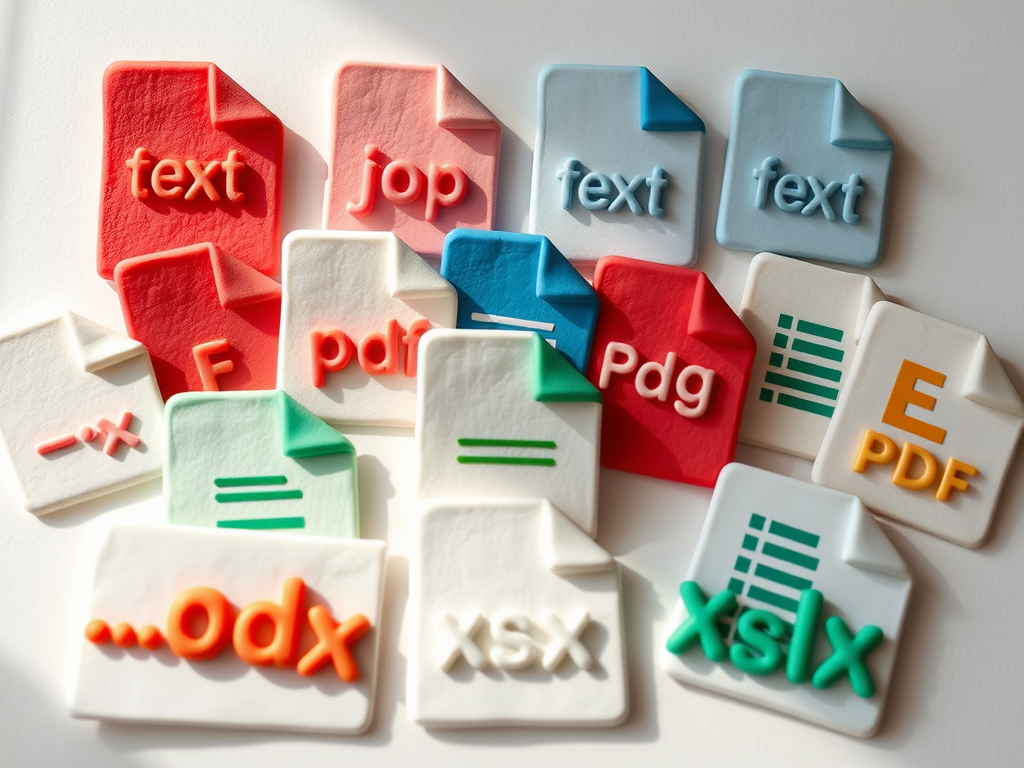
Every digital file has an extension, a 3 or 4-letter code after the name, separated with a ‘.’- as in ‘text.doc’.
These extensions indicate what kind of file it is and which program or app should be used to open it. This list only shows the most common ones, there are hundreds more, and you can look them up by
searching for ‘xxx file extension’ on the web.

The extension also defines the way the information is stored; remember ALL files, whether text or image or others are broken down into 0s and 1s, and there are different ways of converting what you see on the screen into these basic codes. That’s why there is rarely just one extension for each file type, every company or organisation tends to develop their own way of converting information into a digital format.

Here is a short list of the most common formats you might find on your computer

Text Documentsdoc or docx, odt, pdf, rtf, txt
Imagesbmp, gif, ico, jpeg, jpg, png, svg, tif, tiff
Audio (music or voice recording)mp3, ogg, wav, wma
Videoavi, m4v, mov, mp4, mpg, mpeg, wmv
Spreadsheetods, xls, xlsm
Presentation (Powerpoint)odp, pps, ppt
Database (Access etc)csv, mdb, sql, xml
Compressed (used to decrease download size)iso, rar, tar.gz, zip
Executable (programs, apps)apk, com, exe, msi


Usually your device will know what to do with each type of file and will also display a small icon in front of the file name in your file manager that shows which app will be used is you open the file.