
One of the most confusing things about Windows (10 and 11) can be OneDrive.
The idea is that it backs up everything important, like Documents, Photos etc. to the Microsoft Cloud, called OneDrive. That way if you lose your computer, your files are safe. Sounds great, doesn’t it? Problem is, it is not a real backup and MS only gives you 5GB of storage for free; and as we saw last month, that is not a lot if you have photos and videos. You can get more storage at a price, but it probably is cheaper and better in the long run to backup your data onto an external hard drive.
When you run out of space on your OneDrive, that’s when things get messy. Some files are on your PC, some are only on OneDrive and some are on both.
To sort all this out, it is best to stop OneDrive from syncing completely. You can do this by clicking on the cloud icon on the bottom right of your taskbar, then chose ‘Help&Settings’ – ’Settings’ – ’Account’, then chose ‘unlink this PC’.
Now have a look at your files in Files Explorer. They might have a ‘Status’, where
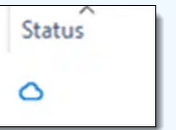
means this File is NOT on your PC, but only on OneDrive.
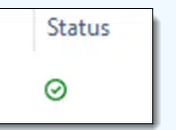
means the file is currently used and available on your PC (perhaps)
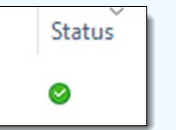
means the file is on your PC (hopefully)
For any others (there is a grey cloud as well), assume that the file is not available on your PC.
Now open your browser (Edge, Chrome, Firefox…) and search for ‘OneDrive login’. Open the search result that says Microsoft OneDrive (https://onedrive.live.com/login) and enter your Microsoft user ID and password (the one you use when you sign into your computer). Go to ‘My Files’ on the left, and now you can see all the files that are on your OneDrive. Select the ones you want and download them to your computer.
You should now have everything back where you want it, as long as OneDrive does not get activated again (this might happen on a Windows update, so keep an eye on it).
I said at the beginning that OneDrive is not a real backup – it is actually more of a tool to sync different computers on the same account, but for some reason MS calls it backup. And similar issues can arise with Google’s photo ‘backup’ and Apple’s iCloud.
 Ask Ursula - Tech Help